
The latest updates, directly from our Wiki.
Opening the latest Patch Notes…

Learn about this AoY NPC, their services, and where to find them.

Exit portals placed in every Gramps hunting map; each returns the character to Eden Group Headquarters.
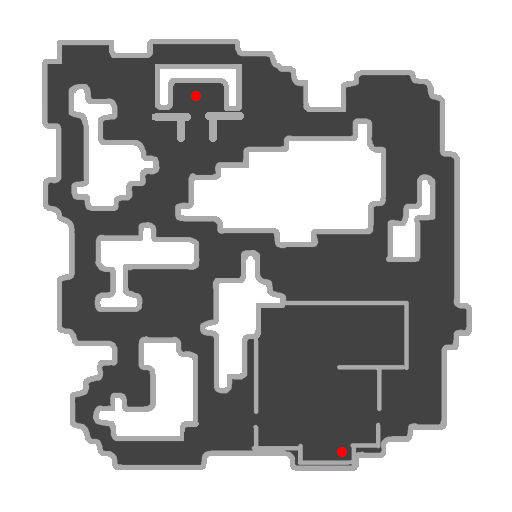
The marker shows Return to Eden's exact position.
Exit portals placed in every Gramps hunting map; each returns the character to Eden Group Headquarters.


Find him at moc_para01 29, 35 in Eden Headquarters. Choose Choose a weekly hunt, select your level tier, then accept either or both of the available targets. Both hunt slots are available to every player; VIP is not required.
The hunt itself has no expiry. Its original target, kill progress, arena access, and reward are preserved when you level out of a tier or a new rotation begins. New hunts must match your current Base Level.
Nearby party members' qualifying kills count when the defeated monster is within screen range. Mercenary and Homunculus kills credited to their owner can also count. Keep the relevant quest active and check its counter as you hunt.
The three tiers do not overlap. Their upper and lower level limits are inclusive.
Two separate 400-kill hunts
Hunting groundgramps_12Two separate 400-kill hunts
Hunting groundgramps_16Two separate 400-kill hunts
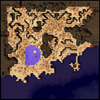
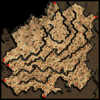
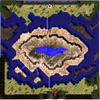
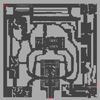
Hunting groundgramps_04Each arena contains all eight targets from its tier's four rotations, with 50 of each monster by default. A new week changes the hunts you can accept, not the targets of your existing hunts, and does not clear the arena population. MVPs are not included.
The following four rotations repeat in order, changing Sunday at 00:00 UTC. Speak to Gramps to see the active rotation and its two targets for your tier. This is the complete rotation schedule, not a live listing of this week's selection. Each listed monster is a separate 400-kill hunt.
| Rotation | Low Base 60-79 | Mid Base 80-99 | High Base 100-120 |
|---|---|---|---|
| 1 | |||
| 2 | |||
| 3 | |||
| 4 |
Every completed hunt awards  Eden Merit Badges and the EXP still available to your character. This is in addition to normal EXP and drops from defeating monsters. Gramps does not award a fixed Zeny payment for these hunts.
| Per completed hunt | Normal | VIP |
|---|---|---|
| Eden Merit Badges | 1 | 2 |
| Base EXP | Target's database Base EXP × 600 | Target's database Base EXP × 1000 |
| Job EXP | Target's database Job EXP × 600 | Target's database Job EXP × 1000 |
| EXP distribution | Both available EXP types | Both, Base only, or Job only |
These formulas use the original hunt target's corresponding database EXP before ordinary server EXP modifiers, so they are not fixed final payouts. Completing both hunts awards 2 badges normally or 4 badges for VIP. See the Eden Group Shop for badge exchanges.
Each character has two hunt slots, each with its own 23-hour cooldown starting when that hunt is accepted, not when its reward is claimed. The slots are shared across all tiers and rotations; changing tiers or waiting for Sunday does not create extra slots.
To reuse a slot, finish and claim its hunt or cancel it, and wait for its cooldown to end or use the Reset Stone service. An expired cooldown does not erase an active hunt, and canceling a hunt does not erase any remaining cooldown.
Choose Reset cooldowns → Use 1 Reset Stone. One  Reset Stone (Magical Stone) clears both hunt-slot cooldowns, while keeping your active hunts and kill progress.
A successful turn-in can grant 30-minute hunting buffs, including DEX +12 and a movement-speed boost, once every 16 hours. This is a separate reward timer, not the 23-hour hunt-slot cooldown. Any remaining time from a hunting buff received before this update is still honored.
Choose My hunts and rewards → Earlier Gramps hunts to review hunts accepted before the redesign. This menu recognizes 591 historical Gramps hunting quests.

 Description:
 Description:
 Monster Stats:
 gef_dun01Primary spawn map
 Monster Stats:
 Monster Stats:
 c_tower2Primary spawn map
 Monster Stats:
 c_tower3Primary spawn map
 Monster Stats:
 ice_dun02Primary spawn map
 Monster Stats:
 ice_dun03Primary spawn map
 Monster Stats:
 pay_dun03Primary spawn map
 Monster Stats:
 Monster Stats:
 Monster Stats:
 Monster Stats:
 mag_dun02Primary spawn map
 Monster Stats:mag_dun02Primary spawn map
 Monster Stats:gef_dun01Primary spawn map
 Monster Stats:
 Monster Stats:
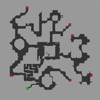 alde_dun04Primary spawn map
 Monster Stats:
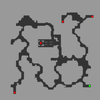 alde_dun02Primary spawn map
 Monster Stats:mag_dun02Primary spawn map
 Monster Stats:mag_dun02Primary spawn map
 Monster Stats:
 Monster Stats:
 Monster Stats:
 Monster Stats:
 ama_dun01Primary spawn map
 Monster Stats:
 nif_fild02Primary spawn map
 Monster Stats:
 nif_fild01Primary spawn map



 Community Reviews